
Does Cozi Family Organizer Actually Solve the 'Who Picks Up the Kids' Problem?
An in-depth analysis of how Cozi’s shared alert architecture and reminder assignments handle the logistical friction of multi-user household coordination.
 Practical guides to mobile apps and productivity workflows
Guides, comparisons, and short explainers on mobile apps and productivity workflows — written for readers who want to understand and decide, without filler.
 Voice Memos to Searchable Notes: A Friday Workflow for Ideas You Capture While WalkingA practical workflow for turning scattered voice notes into tagged, searchable ideas without letting transcription apps become another inbox.
In-depth evaluations and performance analysis of mobile applications designed to enhance personal and professional efficiency.
Workflow AutomationTutorials and guides on using iOS Shortcuts, Android tools, and integration services to automate repetitive mobile tasks.
Task ManagementStrategies and software recommendations for organizing to-do lists, tracking projects, and meeting deadlines via mobile devices.
Knowledge ManagementMethods and app setups for building digital note-taking systems, personal databases, and second brains on mobile platforms.
App ComparisonsHead-to-head analysis and curated lists to assist in selecting the right mobile tools for specific productivity needs.
Calendar & SchedulingBest practices and app recommendations for time-blocking, event management, and optimizing daily schedules on the go.
 App Reviews5 Reasons PDF Expert's 'Fill and Sign' Workflow Beats Adobe Acrobat for Real Estate Agents
 Workflow AutomationThe Myth of the Inbox Zero Shortcut: Why Automated Filtering Fails Your Newsletters
 Task ManagementSetting Up a Mobile-First Kanban Board in Microsoft To Do for Project Sprints
An in-depth analysis of how Cozi’s shared alert architecture and reminder assignments handle the logistical friction of multi-user household coordination.

Testing how TripIt and Apple Calendar handle international itinerary parsing and time zone detection reveals a stark difference in reliability.

Configure Calendly to aggressively protect deep work blocks while exposing limited manager slots for mobile bookings.

We dissect how Fantastical and Readdle Calendar parse complex recurring phrases like 'third Friday of every month' to save you from menu fatigue.
Visualizing energy levels and context through specific Google Calendar palettes transforms a chaotic agenda into a strategic dashboard that immediately signals availability.
Budgets fail not because the math is hard, but because the user's interaction style clashes with the app's underlying logic.

I reclaimed 45 minutes of daily focus by ditching social clutter for a minimalist reading app that prioritizes typography and speed.
Analyzing the return on investment for GoodNotes 6’s premium AI tier reveals that for casual iPad users, the subscription model likely costs more than the time it saves.

Migrate your Gmail history, labels, and filters to Outlook on Android without sacrificing your existing organizational structure.

Habitica turns task management into an RPG, using health points and loot to provide the external dopamine feedback loops that traditional streak-based trackers often fail to deliver for ADHD brains.
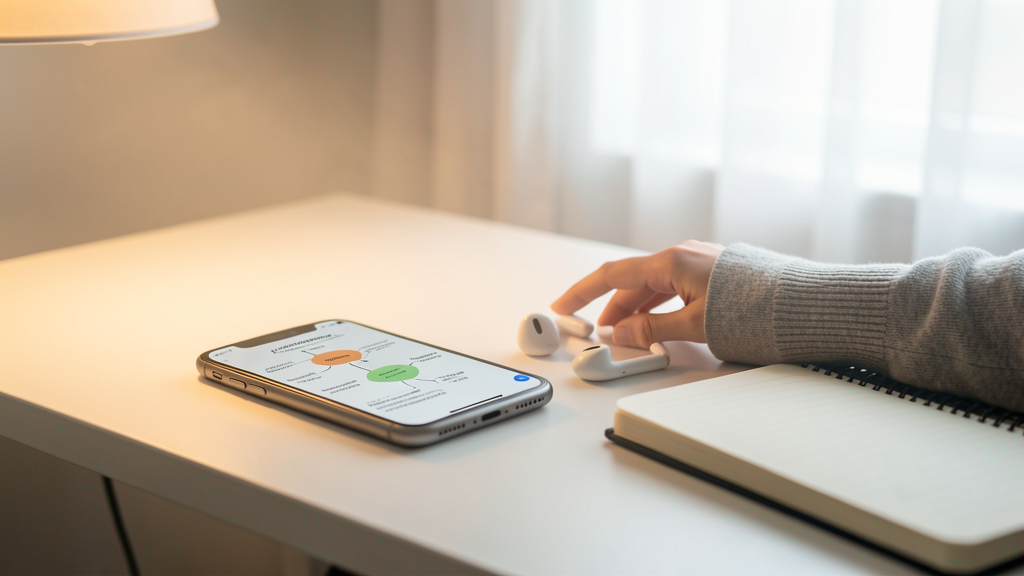
Discover how touch gestures and focused zoom interfaces in XMind’s mobile app turn the perceived limitation of a small screen into a tactical advantage for brainstorming.

Migrating a physical cookbook library to Paprika 3 creates a searchable, cross-device database that revolutionizes grocery shopping and meal planning.

Avoid losing brilliant ideas by prioritizing sub-second launch speeds over complex database features when choosing your primary quick-capture tool.

Overcome morning typing friction by leveraging Day One's voice-to-text capabilities to capture stream-of-consciousness thoughts at the speed of speech.
Mobile academic workflows often fail because linking concepts is tedious on touch screens; here is how to fix that friction using Obsidian's specific mobile tools.

We stopped buying duplicate almond milk and cut our grocery bill by $150 a month by strictly using real-time syncing and cross-off features between two devices.
Shifting from task lists to calendar blocks on mobile devices helps freelancers accurately visualize capacity and prevent the inevitable overtime caused by the planning fallacy.

Tasks.org offers superior data retrieval and local-first architecture for the Eisenhower Matrix compared to TickTick's subscription-based visual approach.

Configure location-based context tags in Todoist to silence noise and surface only actionable tasks for field sales representatives based on their physical coordinates.

Transform passive Trello notifications into aggressive Android alarms using n8n webhooks to ensure you never miss a critical deadline again.

Cloud-based geofencing is notoriously fickle; we tested IFTTT and Zapier head-to-head on Android 16 to see which actually fires when you cross the line without killing your battery.

How I combined GPS and cell tower ID in Tasker to eliminate manual phone settings upon arrival at the office, cutting daily friction.

Eliminate the friction of duplicate content creation by building an iOS Shortcut that handles the logistics of cross-posting to Instagram and Threads in a single tap.
Forest gamifies focus by leveraging loss aversion to turn your phone into a tool for deep work rather than distraction.

Putting Arc Search to the test with a 25-tab academic workflow to see if it solves the frustrating issue of data loss during mobile citation management.

By using Documents by Readdle to analyze duplicate cache files across iCloud, Google Drive, and Dropbox, I recovered 3GB of critical space without deleting a single active project.

Transform messy handwritten calculus equations into pristine LaTeX code and digital text instantly, bypassing the frustration of mobile math keyboards.